How to Use AI With Google Sheets: 7 Practical Ideas
Discover 7 practical ways to use AI with Google Sheets to clean data, create formulas, analyze information, prepare reports, and reduce repetitive work.
Introduction
Google Sheets is useful for organizing information, tracking data, and managing everyday business tasks. But spreadsheets can also involve repetitive work such as cleaning data, creating formulas, comparing results, and preparing reports.
AI can help make these tasks faster by assisting with organization, analysis, formulas, summaries, and repeatable workflows.
In this guide, you’ll discover seven practical ways to use AI with Google Sheets to save time, reduce manual work, and understand your data more easily.
1. Clean and Organize Data Faster
Spreadsheet data is not always clean or consistent.
You may have:
- duplicate entries;
- inconsistent names;
- missing values;
- different date formats;
- unnecessary text;
- information in the wrong columns.
AI can help identify patterns in messy data and suggest ways to organize it more consistently.
For example, you could ask AI to explain how to standardize product names, separate information into columns, or identify records that look incomplete.
The final data should still be reviewed, especially when it is used for important business decisions.
2. Get Help With Formulas
Formulas can save time, but remembering the right syntax is not always easy.
AI can help explain which type of formula may fit a task and how it works.
For example, you might describe what you want to calculate:
“Show the total sales for each category.”
Or:
“Calculate the percentage difference between this month and last month.”
AI can then suggest a formula and explain the logic behind it.
This is especially useful when you understand the result you need but are not sure how to build the formula yourself.
Always test the formula with your actual data before relying on the result.
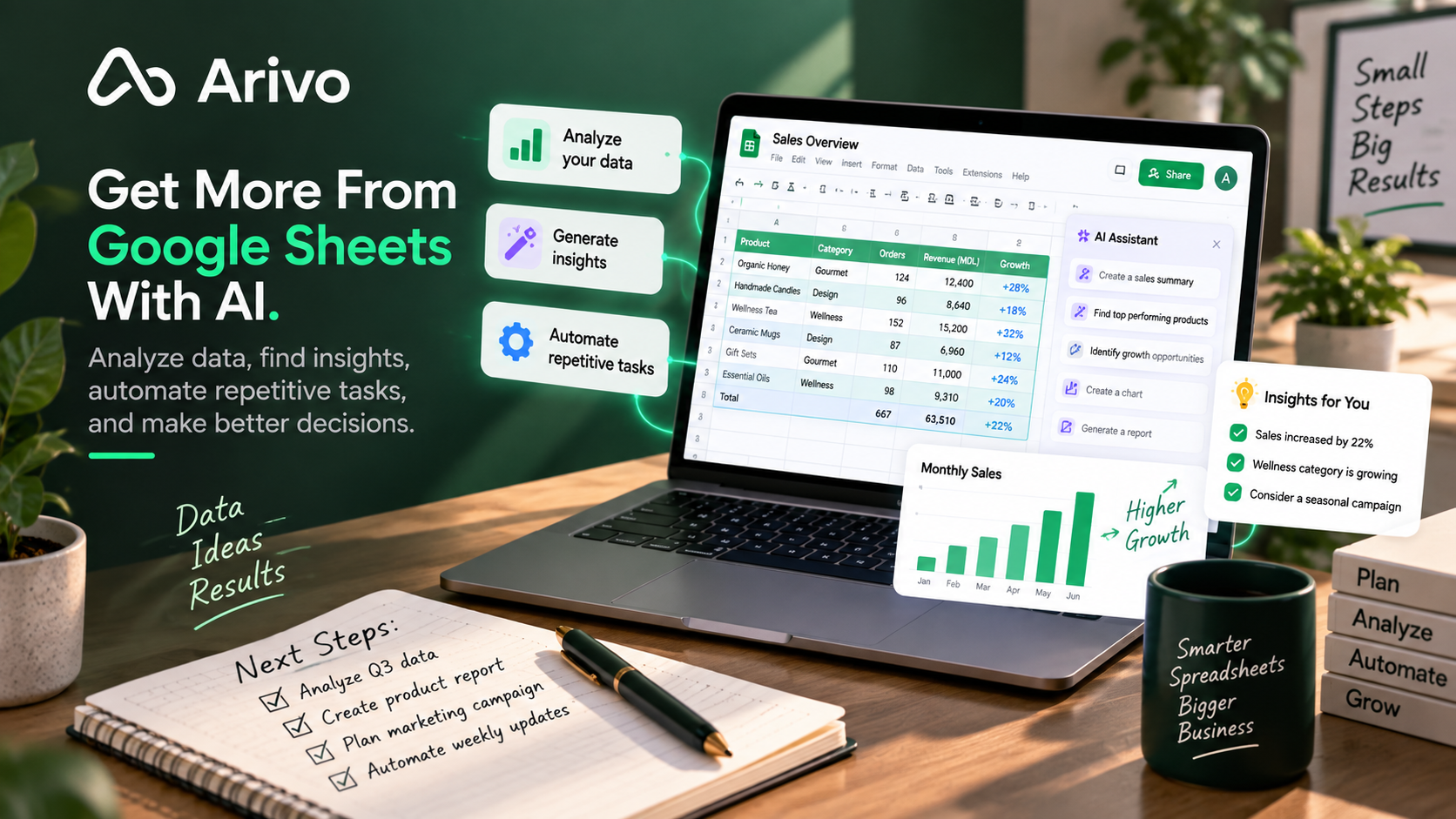
3. Analyze Data and Identify Patterns
AI can help turn spreadsheet data into easier-to-understand insights.
For example, you can use it to explore questions such as:
- Which products are performing best?
- Which month had the highest growth?
- Are there unusual changes in the data?
- Which categories are declining?
- What patterns appear across different periods?
Instead of reviewing every row manually, AI can help highlight areas that deserve closer attention.
The goal is not to let AI make the final business decision.
It is to make the analysis process faster and help you ask better questions about your data.
4. Turn Spreadsheet Data Into Summaries
Raw numbers are useful, but they are not always easy to communicate.
AI can help turn spreadsheet information into a short written summary.
For example, a monthly sales sheet could become:
Sales increased compared with the previous month.
Category A showed the strongest growth.
Category C declined and may need further review.
This can be useful for reports, internal updates, client summaries, or management reviews.
If you regularly prepare reports, this can become part of an AI workflow instead of being recreated manually each time.
5. Create Recurring Reports Faster
Many businesses create similar reports every week or every month.
The process may involve:
- collecting data;
- organizing the spreadsheet;
- comparing results;
- identifying important changes;
- preparing a written summary.
AI can help with several of these steps.
Instead of starting from zero every time, you can create a repeatable process where the same type of data is reviewed and summarized consistently.
This is a good example of how to automate repetitive work with AI.
The more predictable the report is, the easier it becomes to turn it into a reusable workflow.
6. Turn Data Into Action Items
Data becomes more useful when it leads to a clear next step.
AI can help translate spreadsheet information into practical actions.
For example:
Finding: Sales from one category are declining.
Possible action: Review pricing, inventory, or recent customer demand.
Or:
Finding: Customer requests increased significantly this week.
Possible action: Review support capacity and response times.
AI should not make important decisions automatically, but it can help organize findings and prepare questions or actions for human review.
An AI work assistant can be useful when spreadsheet insights need to connect with tasks, documents, or other workflows.
7. Build Reusable Google Sheets Workflows
The biggest productivity benefit often comes from repeating a useful process instead of completing the same steps manually every time.
For example, a simple workflow could:
- receive new spreadsheet data;
- clean or organize the information;
- identify important changes;
- prepare a short summary;
- create follow-up tasks;
- send the result for review.
Another workflow could help organize customer information, compare monthly performance, or prepare a recurring report.
If you are new to this idea, read what AI workflows are and how they work.
Example: Monthly Sales Review
Imagine you manage a spreadsheet with monthly sales data.
Without AI, you might need to review every category, compare results manually, identify changes, and write a summary.
A more efficient process could be:
- organize the latest data;
- compare it with the previous month;
- identify the biggest increases and decreases;
- highlight unusual results;
- prepare a short summary;
- review the findings before making decisions.
This does not remove human judgment.
It simply reduces the repetitive work needed to understand the spreadsheet.
Where Human Review Still Matters
AI can make spreadsheet work faster, but important data should still be checked carefully.
Be especially cautious with:
- financial information;
- forecasts;
- tax-related data;
- customer information;
- important business metrics;
- automated calculations;
- decisions based on incomplete data.
AI can help explain, organize, and summarize information, but the final responsibility stays with the person using the data.
How to Start
Start with one spreadsheet task you already repeat.
For example:
- cleaning data;
- creating formulas;
- preparing a report;
- analyzing monthly results;
- summarizing information.
Test whether AI makes that task faster without reducing accuracy.
If the process works well, turn it into a repeatable workflow.
If your broader goal is to improve daily productivity, see how to be more productive using AI.
Frequently Asked Questions
Can AI help with Google Sheets formulas?
Yes. AI can help suggest formulas and explain how they work based on the result you want to achieve. You should still test the formula with your own data.
Can AI analyze data from Google Sheets?
Yes. AI can help identify patterns, compare values, summarize results, and highlight unusual changes. Important findings should still be reviewed manually.
Can AI automate Google Sheets tasks?
AI can help automate parts of recurring spreadsheet processes, especially when the steps are predictable and connected to a repeatable workflow.
Is AI useful for small business spreadsheets?
Yes. Small businesses can use AI to organize data, prepare reports, understand trends, create formulas, and reduce repetitive spreadsheet work.